

June is National Homeownership Month! In a connected world, working outside a traditional office is now a viable option for employees across the country. According to recent U.S. Census data 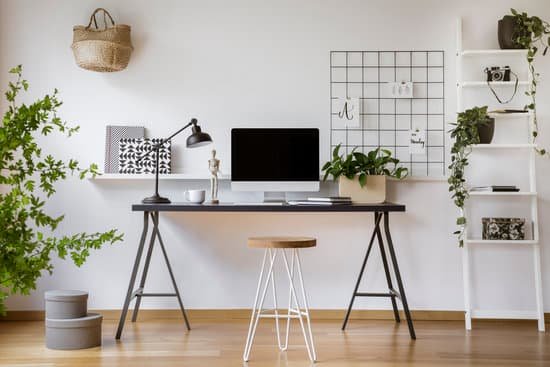 approximately eight million people work from home. If you work from a home office, it is important to create a separate space for productivity with minimal distraction. One of the benefits of a home office is the ability to design a custom workspace. If you need ideas to spruce up your home office or if you are designing a space for the first time, reflect on the following tips.
Create a well-lit space. Experts recommend plenty of natural light for your workspace. Consider placing your workspace near a window or skylight. Direct sunlight may create a glare on your screens or devices so setting up your work station near natural light is preferred. If you have a different lighting preference, adjustable lamps can help you place your lighting source exactly where you need.
Add greenery. Plants in your home are not only decorative, research shows they can help purify air in your home. If you are adding greenery to your home office space make sure your plants can have enough airflow and sunlight. Common home office plants are spider, snake, peace lily and fern. These plants are low maintenance but do require some upkeep so consider what type of care they need before purchasing.
Select a storage solution. For optimal productivity you want to make sure your space has all the items you need to complete your task within reach. Bookshelves are ideal for reference items and manuals. Filing cabinets can help you organize and store loose papers. If you’re completely paperless and use only electronic devices for your job, make sure you have a sufficient amount of outlets for various connection cords.
Design an ergonomic space. When you select your home office furniture try not to focus only on design – think about function too! Sitting at a desk and typing for an extended period of time can be painful for your back, neck or wrist. An ergonomic space, a design to increase comfort and efficiency, is key for any work area. To help you stay comfortable in your home office, make sure your computer monitor is at least an arm’s length away. Your chair height should be adjustable with your knees to support your spine.